

 Tracy Jackson15 yrs in online marketing
Zendesk Alternatives for B2B Support Teams: Best Software Comparison 2026
Table of Contents
Finding the right support software for a B2B team isn’t always as simple as picking the most popular name. Zendesk has been a go-to choice for years, but its complexity and cost can feel like baggage for smaller or growing businesses. That’s why exploring alternatives is worth your time—they often offer just what you need without unnecessary bulk.
By developing a strategic plan, you can determine the best solutions tailored to your unique requirements. This article digs into some of the better options out there, helping you figure out which tools can really make your support team faster, friendlier, and less stressed without breaking the bank.
For B2B support teams seeking lighter, more intuitive alternatives to Zendesk, top recommendations include Monday Service and Zoho Desk, which offer robust ticketing and workflow management without overwhelming administrative overhead.
Other excellent options are Freshdesk, Intercom, Help Scout, Hiver, and Pylon, each providing essential features like shared inboxes, templates, tag systems, simple SLAs, and strong CRM integrations that empower small to mid-sized B2B SaaS teams to deliver fast, effective customer support without the complexity of enterprise platforms.
Disclaimer: If you buy something using the links in this article, I may receive a commission at no extra cost to you.
Know that I only promote stuff that I use and trust for the sake of my readers and the reputation of this site.

Leading Zendesk Alternatives for B2B
When we examine Freshdesk, Help Scout, and Intercom through a B2B lens, what becomes clear is their focus on ease of use combined with powerful, targeted capabilities. Freshdesk stands out because it offers an intuitive ticketing system that can be scaled from small teams to more complex environments without overwhelming users, fitting smoothly into your overall operational plan.
This simplicity doesn’t come at the expense of functionality; automation within Freshdesk streamlines repetitive tasks, allowing support agents to focus on solving problems rather than managing workflows.
Help Scout, by contrast, leans heavily on providing an email-centric experience that feels natural to many customer service teams. Its design fosters collaboration internally while preserving a human touch externally—something often lost in larger, more cumbersome platforms.
The clean interface cuts down on training time, accelerating onboarding and reducing the friction many feel when migrating from Zendesk’s sometimes sprawling feature set.
Intercom approaches the challenge differently by marrying support with sales and marketing pipelines. For B2B companies where customer engagement extends beyond reactive support, Intercom’s conversational tools enable proactive outreach at scale.
However, this sophistication brings complexity; organizations need to invest time mastering its features to fully capitalize on the platform’s potential.
Importantly, these alternatives also strive to break free from Zendesk’s costly pricing model. Many include AI capabilities and integrations out-of-the-box without hitting teams with surprise add-on fees. This transparency helps companies budget accurately and invest saved resources back into growing their teams or expanding service offerings as part of a broader strategic business plan.
For businesses considering a switch, understanding each tool’s balance between usability, depth of features, and cost is crucial. We suggest conducting trial runs focused not just on functionality but also team feedback—how quickly do agents adapt?
Does the platform foster collaboration naturally?
Are customers experiencing faster resolutions?
| Platform | Strength | Ideal Use Case | Notable Consideration |
|---|---|---|---|
| Freshdesk | Simple yet robust ticketing | Small to mid-sized B2B support | Less customization than top-tier |
| Help Scout | Email-focused interface | Teams valuing fast onboarding | Limited advanced automation |
| Intercom | Sales-support integration | Product-led SaaS with active engagement | Requires learning investment |
With these comparisons in mind, the next question frequently arises: how straightforward is migrating from Zendesk to these alternatives? Understanding implementation timelines and common challenges will help guide a smoother transition as you explore your options further.
Comparing Core Features
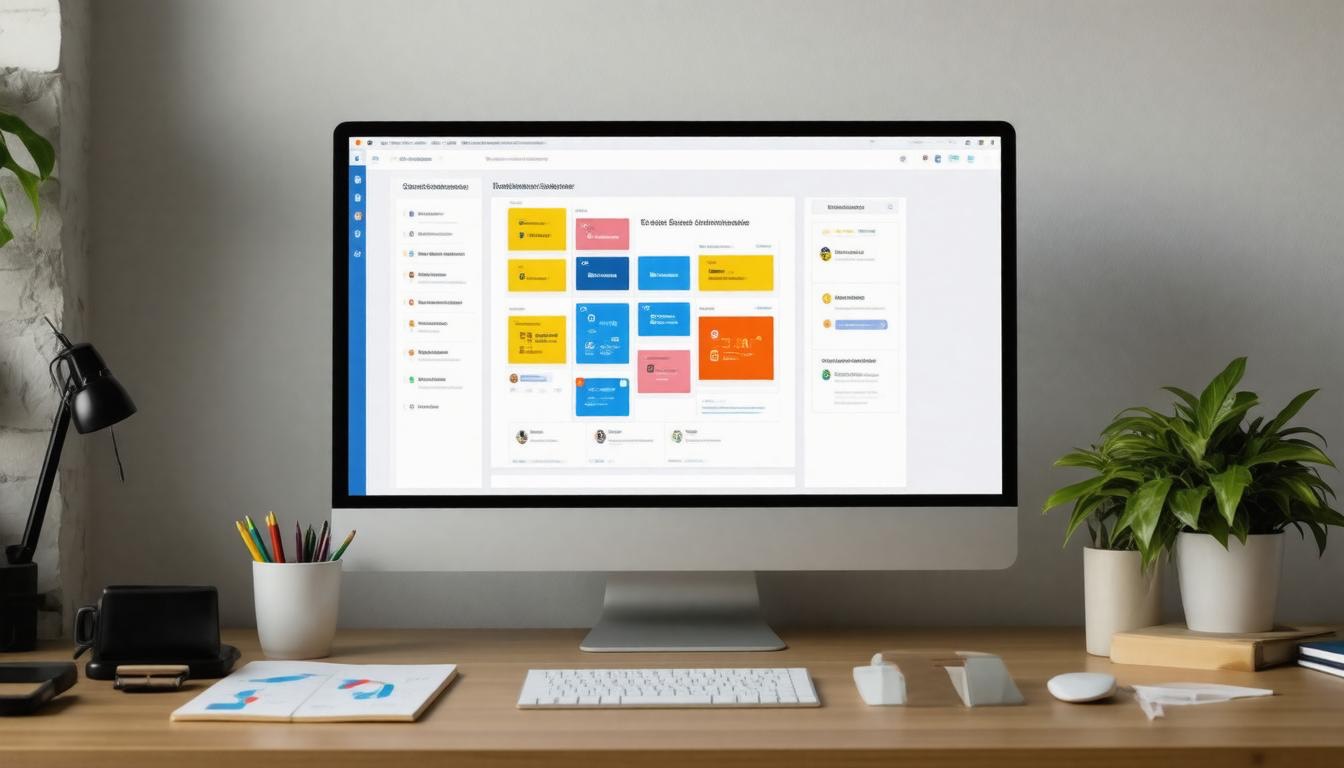
When evaluating Zendesk alternatives like Freshdesk, Help Scout, and Intercom, each platform brings a distinct flavor to the table in terms of core capabilities. Having a clear plan will ensure the chosen platform successfully integrates into your existing systems and processes.
Ticket management is the backbone of any support platform, and all three excel here; however, what truly sets them apart lies in their ancillary features such as live chat, CRM integration, and analytics depth. These features directly influence team productivity, making it easier to handle multiple tasks efficiently.
For instance, Freshdesk supports both ticketing and live chat natively, giving teams the advantage of handling real-time conversations alongside traditional emails—a hybrid approach that’s often crucial for dynamic support environments and enhances overall productivity by reducing the time spent switching between platforms.
Digging deeper, we observe Freshdesk’s strength in customization options which empower teams to tailor workflows and automations suited specifically to their processes. This flexibility reduces manual task burdens, thereby increasing productivity, but comes with somewhat basic reporting functionalities—sufficient for standard metrics but potentially limiting when complex data analysis is needed.
In contrast, Help Scout sacrifices live chat support for very comprehensive reporting and analytics capabilities. For customer success teams or those driven by detailed insights into ticket trends and team performance, Help Scout offers clarity through rich dashboards and customizable reports, significantly boosting productivity by enabling teams to make data-driven decisions.
Intercom takes another route by heavily investing in CRM integrations. Its seamless connections with Salesforce and HubSpot make it ideal for sales-embedded support teams where every conversation could translate directly into revenue opportunities or account growth.
This integration enhances productivity by streamlining processes and data flow, but this sophistication also demands a higher budget allocation which might not suit smaller teams or those focused purely on cost-effectiveness.
The price points reflect these differences interestingly: Help Scout tends to be the most affordable option for teams focused on email-driven support without sacrificing analytical power.
Freshdesk strikes a middle ground balancing broad feature sets at moderate costs, while Intercom commands a premium price justified by its extensive ecosystem connectivity and advanced automation tools, which contribute significantly to team productivity.
“Choosing a tool means balancing features with your team’s needs—and understanding where compromises are acceptable versus critical.”
As we explore further, seeing how these platforms synchronize with CRM tools will illuminate which solution aligns best with your broader business operations and customer relationship goals. Effective CRM integration is crucial for optimizing productivity by ensuring all team members have access to relevant customer data.
Top Customer Relationship Management Tools

When it comes to enhancing our support operations through CRM integration, we quickly realize that not all tools fit every team’s needs. Salesforce stands out for its unparalleled customization capabilities, enabling us to tailor workflows, automate complex processes, and connect multiple sales and support channels, thereby maximizing productivity potential.
However, this power comes with a steeper learning curve and often requires dedicated administration resources to get the most out of it. On the other hand, HubSpot provides an intuitive interface that’s approachable for smaller or less technical teams. Its user-friendly design simplifies onboarding and daily use, making it easier for teams to adopt without extensive training, contributing to immediate productivity gains.
The choice between these CRMs often boils down to scale and complexity. Larger enterprises with intricate sales cycles tend to gravitate toward Salesforce due to its flexibility and enterprise-grade features, while growing companies prioritize HubSpot’s ease of use and quick deployment as productivity-enhancing factors.
Both platforms offer solid integrations with popular support software, promoting smoother data flow between customer interactions and backend management systems, which is essential for maintaining high productivity levels.
Another consideration is how these CRMs handle real-time customer data and insights. Salesforce’s AI-powered analytics and detailed reporting enable us to proactively identify at-risk customers or upsell opportunities through predictive modeling, thereby supporting productivity by focusing efforts where they are most impactful.
HubSpot uses smart automation features to nurture leads and provide context-rich information directly within the support interface, keeping our reps informed without overwhelming them with data. To further enhance this process, integrating a system for collecting feedback from users can provide valuable insights, allowing for continuous improvement and customization of services offered.
As Jamie, a CRM specialist at a fast-growing tech startup, puts it: “Switching from Zendesk to Freshdesk integrated with HubSpot has quadrupled our team’s efficiency.” This highlights how pairing a flexible helpdesk solution with a complementary CRM, combined with regular feedback channels, can unlock operational efficiencies that static, standalone systems struggle to deliver.
We see similar success stories across the industry. For instance, a B2B firm focusing on enterprise software discovered substantial benefits after integrating Help Scout with Salesforce.
The close alignment between their sales pipeline and customer support improved communication across departments, reduced response times, and ultimately drove higher conversion rates by ensuring that prospects received consistent messaging and feedback throughout their journey.
While these examples demonstrate impactful results, it’s important for us as users to consider factors beyond just integration prowess:
To maximize the value of our CRM investment, we should look for platforms offering robust APIs and native connectors that tie into our existing tech stack seamlessly, alongside effective feedback mechanisms to keep us aligned with customer needs.
| Factor | Consideration |
|---|---|
| Scalability | Does the CRM grow in capabilities alongside our business demands? |
| Training & Onboarding | How steep is the learning curve for our team members? |
| Customization vs. Simplicity | Do we need highly tailored workflows or streamlined processes? |
| Analytics & Reporting | Are actionable insights presented clearly to inform decisions? |
| Compliance & Security | Especially critical in B2B contexts where data protection standards are stringent. |
This reduces workflow friction caused by data silos—a common pitfall when tools operate in isolation—and accelerates deal cycles by putting verified contact data, buyer intent signals, and actionable feedback front and center.
With this solid CRM foundation in place, the next focus shifts to integrating multi-channel ticketing and helpdesk systems. These tools sharpen customer interaction management, turning every inquiry into an opportunity to reinforce trust and satisfaction, also serving as a channel for gathering feedback to enhance service quality.
Efficient ticketing and helpdesk software are essential for managing the flood of customer requests that B2B support teams encounter daily.
These platforms don’t just log issues—they orchestrate the entire resolution journey from initial contact to final closure, incorporating customer feedback to enable teams to meet strict service-level agreements (SLAs) without drowning in administrative overhead.
Best Ticketing and Helpdesk Options

We see solutions like Freshservice by Freshdesk rising to prominence, particularly for organizations with complex IT service management needs. Its comprehensive framework supports intricate workflows, asset management, change control processes, and automation rules that keep large teams synchronized without a full-time admin dedicated solely to the tool.
Contrast this with Help Scout, which favors simplicity and collaborative transparency through its shared inbox model. It’s designed to feel more like a team email than a traditional ticketing system, appealing to smaller or medium-sized teams who want to avoid overengineering their support operations. Here, feedback is seamlessly integrated, promoting a culture of continuous improvement and employee engagement.
This streamlined approach reduces training time and fosters faster adoption but might lack deeper customization and automation capabilities required by larger enterprises.
Naturally, this sparks debate among users: Should a support team invest in Freshservice’s robust architecture that can grow with them or prioritize Help Scout’s ease of use that gets agents productive immediately, focusing on collecting and acting upon feedback?
Neither is universally better; it’s about matching your team’s complexity and volume with a system that balances power, usability, and feedback integration. Overinvesting in features your team never uses adds unnecessary cost and complexity, while underserving operational requirements leads to wasted time and frustrated customers.
When selecting a ticketing solution, consider factors beyond feature checklists, such as the system’s ability to incorporate and utilize feedback effectively. Pay close attention to deployment realities—how long will it take to get live? Does it integrate seamlessly with your existing single sign-on (SSO) protocols? Can it automate routine tasks without constant manual tuning?
Furthermore, consider whether the platform is scalable enough to grow alongside your business needs without requiring substantial overhauls as you expand.
Our experience shows that AI-driven tools with genuine intent detection stand out by routing tickets accurately on day one, rather than relying on brittle keyword matching. These tools are often scalable, allowing them to efficiently manage increasing volumes of customer interactions as your enterprise grows.
Also important are omnichannel capabilities that keep conversations coherent across email, chat, phone, social media, and in-app messaging. Ensuring that these capabilities are scalable is key to maintaining a seamless communication flow no matter the scale of your customer base.
Choosing the right software involves balancing technical capabilities with practical deployment concerns. As we move forward, understanding these trade-offs is crucial before settling on the platform that best fits your team’s unique needs and workflow dynamics.
The scalability of a solution becomes an essential factor in this decision-making process, ensuring that the software can adapt to changing demands over time.
| Criteria | Freshservice | Help Scout |
|---|---|---|
| Ideal Team Size | Medium to Large | Small to Medium |
| Core Strength | ITSM Integration & Automation | Simplicity & Collaboration |
| Deployment Complexity | Moderate to High | Low |
| AI & Automation Quality | Advanced | Basic |
| Omnichannel Support | Yes | Limited |
| Pricing Model | Subscription-based | Subscription-based |
| Customization | Extensive | Limited |
Selecting a support platform goes beyond simply comparing features on paper; it’s about finding a solution that truly fits our team’s unique needs and workflow. When we think about fit, it’s crucial to consider how many people will be using the tool, their comfort level with technology, and the specific challenges we’re trying to solve.
For example, a team of two managing both marketing and support needs something lean—tools with cluttered interfaces or overly complex workflows only slow us down. It’s important that any selected platform is scalable enough to accommodate potential team growth or shifts in strategic direction.
Choosing the Right Platform

Consider how much time your team can realistically dedicate to managing the platform itself. A system packed with bells and whistles may sound appealing, but if it demands constant configuration or heavy administration, it can end up draining valuable energy from actually helping customers.
This is why lightweight options like Monday Service or Help Scout often emerge as favorites—they blend essential functions like shared inboxes and automation with simplicity and ease of use while offering scalable solutions that remain efficient as your operational scope increases.
It’s also important to understand what our support goals truly are. Are we aiming purely for fast response times that prevent tickets from slipping through cracks? Or do we require deeper service management capabilities such as ITSM workflows, reporting, and SLA segmentation?
Knowing this upfront helps focus our efforts on platforms designed around those specific purposes rather than generic solutions trying to do everything but doing none excellently. The scalability of these features ensures that they remain effective as customer service requirements evolve.
Before diving into demos or trials, we should draft a list of non-negotiable features grounded in our daily realities. This might include straightforward ticket tagging, clear ownership rules within shared inboxes, templated replies that save time, and seamless CRM integrations—especially with popular tools like HubSpot.
Having these priorities documented keeps us from being swayed by flashy add-ons that don’t align with our core processes. Ensuring these features are scalable can help maintain their effectiveness as organizational demands increase.
From there, weighing the trade-offs among usability, cost, scalability, and integration capabilities allows us to narrow down choices effectively. Some platforms excel at integrating directly with Slack or email, which makes them invaluable for teams that want customer conversations to live inside channels they already use daily.
Others bring strong knowledge base features that power self-service and reduce repetitive incoming questions, and ensuring these platforms are scalable can help prevent bottlenecks as your customer service requirement grows.
Ultimately, the right solution is not always the one with the most features but the one that lets us own our workflows while providing enough visibility and control to keep customers satisfied without bogging our small team down in complexity. Emphasizing scalability in this context means the solution should be equipped to handle growth and increasing demands efficiently, ensuring long-term success and sustainability.
Ultimately, the right solution is not always the one with the most features but the one that lets us ***own our workflows*** while providing ***enough visibility and control*** to keep customers satisfied without bogging our small team down in complexity.
By focusing on tailored fit over feature overload, we set ourselves up for a system that supports quick iteration, fast responses, and sustainable growth in customer support operations.
With these insights in mind, exploring how each alternative stacks up against these criteria reveals where their strengths and weaknesses lie—setting the stage for a detailed look at what each has to offer next.
Pros and Cons of Each Alternative

When we consider Freshdesk, the immediate appeal lies in its straightforward setup and solid ticket management system. For teams that want to hit the ground running without wrestling with complicated configurations, this platform often feels like a breath of fresh air. The pricing is notably affordable, which is a significant draw for companies mindful of budget constraints.
However, this simplicity comes with trade-offs: reporting capabilities tend to be quite basic, which can limit how deeply we understand customer interactions over time. Moreover, customization options are somewhat limited, meaning larger teams or those with specialized workflows might find themselves wanting more flexibility.
Moving over to Help Scout, we find a platform designed with user-friendliness at its core. Its clean interface reduces training overhead, allowing support agents to focus on solving problems rather than navigating clunky menus. What stands out here is the comprehensive analytics — offering valuable insights into team performance and customer satisfaction trends.
This clarity helps us identify bottlenecks and opportunities for improvement quickly. Yet, if live chat is an essential tool in our support strategy, Help Scout falls short since it doesn’t natively provide it. Also, with fewer CRM integrations available compared to other platforms, syncing customer data across business systems requires extra effort or workarounds.
These nuances bring us naturally to Intercom, where the situation shifts toward power and complexity.
Intercom shines in environments where rich CRM connections and sophisticated messaging capabilities are non-negotiable. It integrates deeply with sales pipelines, enhancing communication continuity from marketing through customer service — a huge plus for teams blending sales and support functions.
The platform’s AI-driven features automate routine messages and intelligent routing, potentially reducing manual workload substantially. That said, we shouldn’t overlook that these advantages come at a steep price point and demand a more substantial learning curve. Adoption may require investing time in training before teams can fully leverage Intercom’s capabilities without frustration.
To better visualize these contrasts:
| Platform | Key Strengths | Notable Drawbacks |
|---|---|---|
| Freshdesk | Easy setup; affordable; strong ticket handling | Basic reports; limited customization |
| Help Scout | User-friendly; great analytics; strong support | No live chat; fewer CRM integrations |
| Intercom | Robust CRM integrations; powerful messaging and automation | Expensive; complex learning curve |
Each platform serves different operational styles: Freshdesk suits teams prioritizing affordability and ease of use; Help Scout appeals where analytics and simplicity are paramount but live chat isn’t critical; Intercom fits organizations willing to invest heavily in integrated sales-support workflows with advanced automation needs.
Understanding these factors positions us well to evaluate how each alternative can tangibly boost support efficiency across varied B2B scenarios.
Enhancing Support Efficiency

When we talk about support efficiency, we’re really focusing on how to get more done with less friction—less time spent juggling tasks and more time solving customer problems. Automation plays a crucial role here. Platforms like Freshdesk excel by providing automated workflows that slice through routine manual tasks.
This means repetitive actions, like assigning tickets or sending follow-up emails, happen instantly and consistently, freeing up our team to focus on more complex issues.
But automation alone isn’t enough; smart communication channels are equally essential. Intercom’s advanced messaging tools don’t just wait for customers to reach out—they engage proactively, offering timely answers and reducing the flood of incoming tickets.
That proactive approach not only lightens the load but also improves customer satisfaction, as users often receive help before frustrations grow.
Efficiency also hinges on clarity and organization within our support systems. Help Scout’s automated tagging and task assignment features streamline ticket prioritization and distribute workload evenly among team members. Such features eliminate confusion about who owns what, speeding up resolution times remarkably.
A workflow where every ticket is tracked and followed up systematically can transform chaos into order.
Importantly, all these features—automation, proactive engagement, intelligent ticket management—build upon one another. By reducing manual overhead, preventing missed queries, and optimizing response flow, we empower small teams to operate at enterprise-level efficiency without the complexity or cost.
| Platform | Efficiency Feature | Impact |
|---|---|---|
| Freshdesk | Automated workflows | Cuts down repetitive work |
| Help Scout | Automated tagging and task assignment | Speeds up issue resolution |
| Intercom | Proactive messaging | Decreases incoming ticket volume |
Beyond features, success depends heavily on how well these tools integrate with our existing CRM and marketing stacks. When we have seamless data syncs between support platforms and customer records, it eliminates duplicate work and delivers a fuller picture of each customer interaction.
This integration enhances both speed and accuracy in handling cases.
Our takeaway? Boosting support efficiency is not merely about picking a platform packed with features but choosing one aligned precisely with our team’s workflows and goals. Keeping processes lean yet powerful enables us to deliver faster responses, resolve issues quicker, and ultimately provide a better experience for both customers and support agents alike.
Next, we will examine how these platforms stand up when balancing efficiency with ease of use—a critical factor for smaller B2B SaaS teams managing multiple roles simultaneously.
Selecting the right support software means embracing tools that amplify your team’s strengths while minimizing administrative overhead, delivering real value beyond just feature lists.

Recent Posts

Monday.com Review 2026: Is It Still the Best Work OS?
I tested Monday.com against ClickUp, Asana, and Wr...
Updated July 27, 2026

AI Writing Software for Blogging in 2026: Best Tools + How to Stay AI-Search Vis...
The best AI writing software for blogging in 2026 ...
Updated July 20, 2026

HubSpot Review 2026: Is It Worth the Cost?
I tested HubSpot’s free CRM, Starter, and Pr...
Updated July 20, 2026

Teamwork.com Review 2026: Is It the Best PM Tool for Client Work?
I tested Teamwork.com for agency and client projec...
Updated May 29, 2026

Wrike Review 2026: Is It Worth the Cost?
I tested Wrike in real enterprise workflows. Here&...
Updated May 29, 2026

Asana Review 2026: Is It Worth It? (Honest, In-Depth Analysis)
I tested Asana across real team workflows. Here...
Updated May 29, 2026
Newsletter
Don't miss a thing!
Sign up to receive daily news