

 Tracy Jackson15 yrs in online marketing
Slack for Nonprofits: Free Plan, 85% Discount & What You Need to Know First (2026)
Table of Contents
The short answer: Slack’s nonprofit program offers a full free upgrade to the Pro plan for eligible workspaces with 250 or fewer members — the most generous communication tool discount in this entire cluster. Not a percentage off. Free. For larger workspaces, Slack offers an 85% discount on both Pro and Business+ plans. There’s one thing I need to tell you before you apply, though, and it’s in Slack’s own help article.
I cover the best software for nonprofits across five categories, and slack for nonprofits is the strongest headline discount in the communication category.
The program is real, it’s been running for years, and for most small-to-mid-size nonprofits the free Pro upgrade is the best deal in this stack.
This article covers the pricing structure, the TechSoup application process, and one clause in Slack’s program terms that every nonprofit should read before committing.
What Is the Slack for Nonprofits Program?
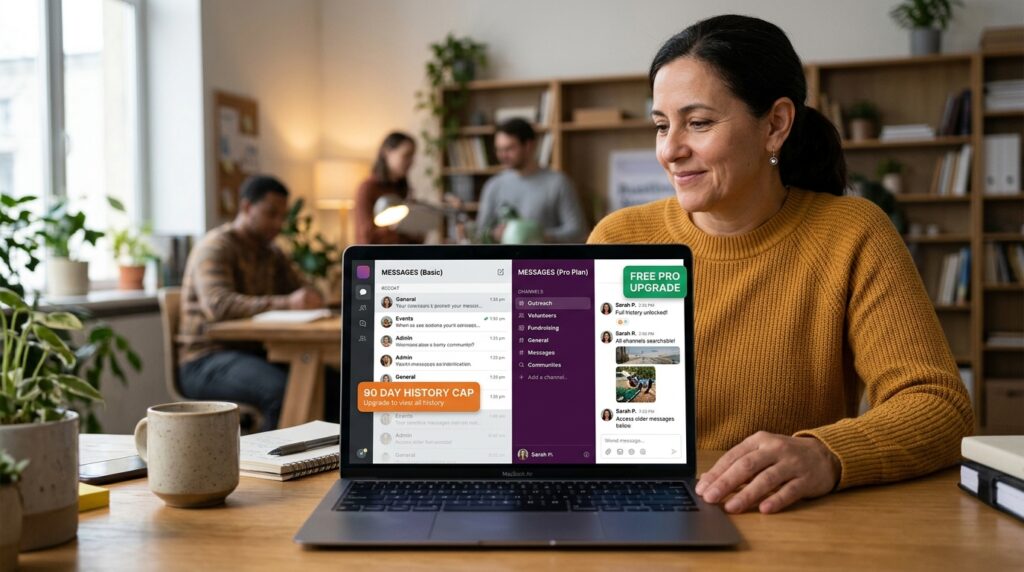
Slack’s nonprofit program upgrades eligible workspaces to Pro or Business+ at no cost or deep discount, verified through TechSoup.
There are two tiers based on workspace size, and one blanket rule for Business+:
- Pro plan, 250 members or fewer: free upgrade — zero cost
- Pro plan, over 250 members: 85% off the standard rate
- Business+ plan, any workspace size: 85% off
The 90-day message history limit on the free plan is the most common reason nonprofits go looking for the discount.
On the Pro plan, that limit disappears — every message, file, and channel is searchable indefinitely.
For a nonprofit that’s been running Slack for a year and suddenly can’t find a conversation from eight months ago, this upgrade changes how the team operates.
Slack Nonprofit Pricing: What’s Free and What’s Discounted
Under 250 members: free Pro plan upgrade
For most nonprofits, this is the only row in the pricing table that matters.
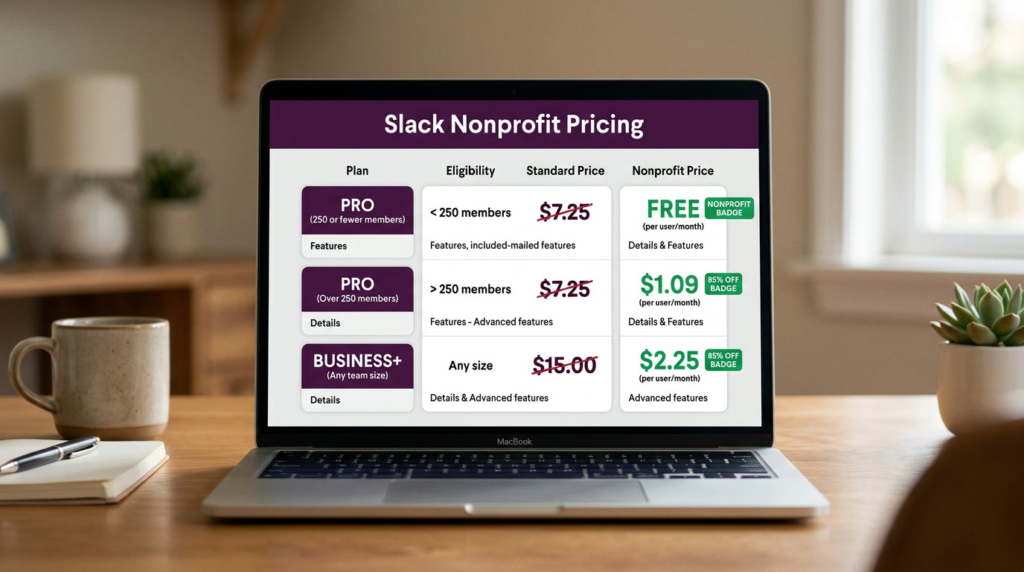
| Plan | Workspace size | Standard price (annual) | Nonprofit price |
| Pro | 250 or fewer members | $7.25/user/month | Free |
| Pro | Over 250 members | $7.25/user/month | ~$1.09/user/month (85% off) |
| Business+ | Any size | $15.00/user/month | ~$2.25/user/month (85% off) |
| Enterprise+ | 1,000+ members | Custom | Contact Slack |
Prices verified at slack.com/pricing, May 2026. 85% discount calculations based on standard annual rates. Nonprofit program subject to Slack’s sole discretion clause — see risk section below. Confirm current terms at slack.com/help/articles/204368833 before applying.
A 20-person nonprofit on the free Pro upgrade saves $1,740/year versus the standard annual rate.
At 50 members, that’s $4,350/year. No other communication platform in this cluster comes close for teams under 250.
Over 250 members: 85% off Pro or Business+
At $1.09/user/month on discounted Pro, a 300-person nonprofit pays roughly $327/month for unlimited message history, integrations, group huddles, and 24/7 support — versus $2,175/month at the standard rate.
Business+ at $2.25/user/month adds advanced AI features, Slackbot, data residency, SCIM user management, and compliance exports.
For nonprofits with HIPAA obligations or enterprise security requirements, Business+ at the discounted rate is worth a close look.
What the 90-day free plan limit means for your nonprofit
The free Slack plan caps message history at 90 days. Messages aren’t deleted — they’re still stored — but they’re no longer searchable or accessible.
For a nonprofit that discusses grant decisions, donor relationships, or program delivery in Slack, losing access to those conversations after three months is a real operational problem.
This is the friction that makes the discount application worthwhile even for small teams that could otherwise get by on the free plan.
Once you cross 90 days of meaningful organizational history in Slack, the free plan stops being a viable long-term option.
Who Qualifies for the Slack Nonprofit Discount?
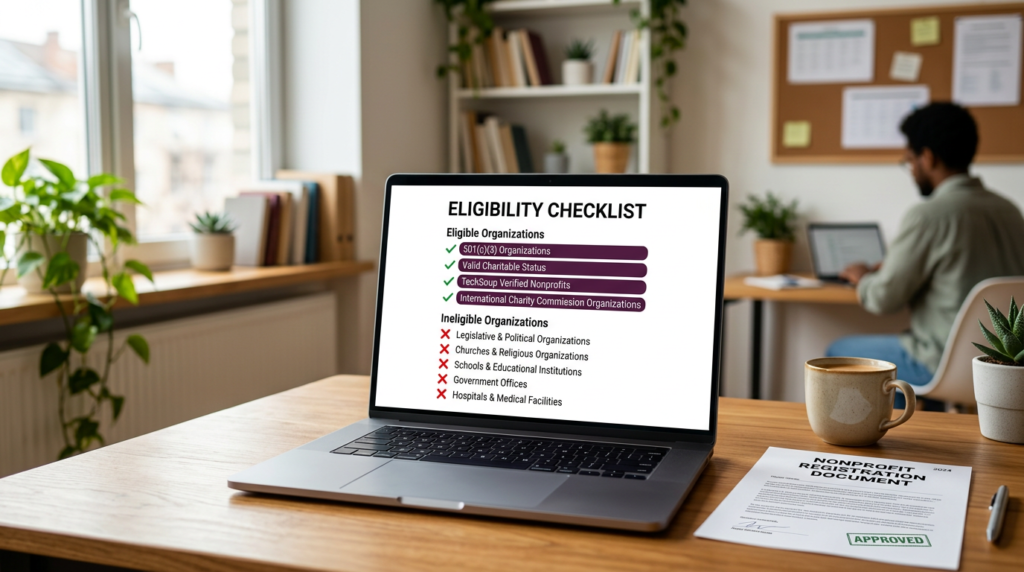
Eligible: US-based 501(c)(3) organizations, and organizations with valid charitable status with a local tax service, charity commission, or TechSoup Global partner internationally.
Not eligible: legislative or political organizations; churches and religious organizations; schools, colleges, and educational institutions (these may qualify for the Slack for Education program); government offices; hospitals and health insurance organizations; private foundations; organizations that discriminate on protected characteristics.
If your organization is in an excluded category, check the Education program at slack.com/help/articles/206646877.
How to Apply: TechSoup Verification and the Slack Process
Step-by-step application guide
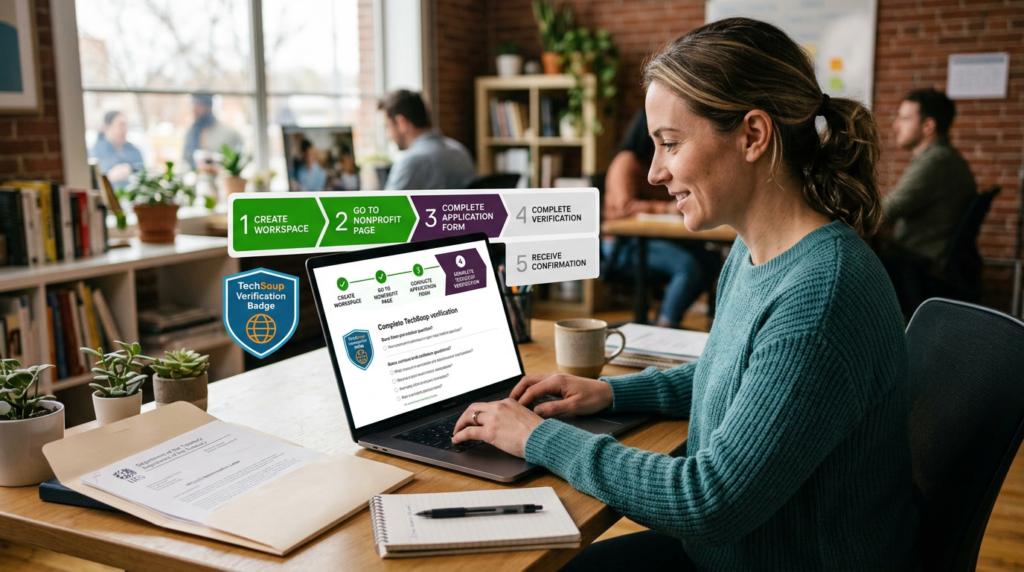
- Create a Slack workspace if you don’t already have one. The application is tied to an existing workspace — submit a separate application for each workspace you want discounted.
- Go to my.slack.com/nonprofit. A Workspace Owner must submit — not just any team member.
- Complete the application form. Provide your organization’s legal name, location, website, and a brief description.
- Complete TechSoup verification. If your organization is already TechSoup-verified for other tools (Microsoft 365, Adobe, Google Workspace for Nonprofits), no re-verification is needed.
- Wait for confirmation. Approved workspaces receive email confirmation and the upgrade or discount is applied within three days.
TechSoup verification: what it is and how long it takes
TechSoup verifies charitable status on behalf of multiple SaaS vendors.
If you’re not yet TechSoup-verified: register at techsoup.org, submit your 501(c)(3) determination letter, and allow 2–4 business days.
Once verified, that status works across all TechSoup-partner programs — Slack, Microsoft, Adobe, Google — with no re-verification needed for future applications.
For organizations already TechSoup-verified for any other platform, the Slack application is faster.
Full process: under a week for most nonprofits, under a day for those with existing TechSoup status.
Apply for the Slack Nonprofit Discount → slack.com/help/articles/204368833
Under 250 members: free Pro plan upgrade via TechSoup verification. Over 250 members: 85% off Pro or Business+. Apply at my.slack.com/nonprofit.

What Nonprofits Should Know Before Committing to Slack
This is the section no competing article on this SERP covers.
I’m including it not to talk you out of Slack — the program is genuinely the most generous communication tool offer in this cluster — but because nonprofits deserve to know what they’re signing up for before building years of organizational history on the platform.
The sole discretion clause explained
Slack’s help article for the nonprofit program includes this: “Slack sets these guidelines and determines an organization’s qualification at our sole discretion.
We reserve the right to grant or deny an organization’s application or participation at any time, for any reason, and to supplement or amend our eligibility guidelines at any time.”
Slack can revoke your nonprofit status, change the discount structure, or change eligibility requirements at any time, with no notice and no contractual protection.
This became materially relevant in September 2025.
The Hack Club incident: what happened and what it means
In September 2025, Slack notified Hack Club — a nonprofit teen coding community that had used Slack for 11 years under nonprofit pricing — that its annual cost would increase from $5,000 to $200,000, with five days to pay $50,000 immediately or face workspace deactivation and permanent deletion of 11 years of message history.
The notification went viral on Hacker News. Slack CEO Denise Dresser publicly apologized and resolved the situation by donating Enterprise+ to Hack Club for five years.
The incident was resolved.
The nonprofit program’s current terms remain in place.
But it illustrated exactly what the sole discretion clause means in practice: an 11-year nonprofit relationship can be disrupted with a five-day ultimatum, with no contractual floor on notice required or how much pricing can change.
I’m not saying don’t use Slack. I’m saying know this before you build years of organizational history on the platform.
How to protect your nonprofit’s data regardless of platform
Three steps that apply regardless of platform:
- Export message history regularly. Slack’s paid plans allow full data exports. Set a recurring quarterly reminder to export workspace data and store it independently — not just in Slack.
- Keep critical information in tools you own. Slack is a communication layer, not a system of record. Decisions, policies, program documentation, and institutional knowledge belong in Google Drive, Notion, or your own systems — not solely in Slack channels.
- Review the program terms annually. At each renewal, confirm the sole discretion clause language is unchanged. If Slack introduces contractual protections for nonprofit participants post-Hack Club, that changes the risk calculus.

Is Slack Worth It for Nonprofits?
Yes — for most nonprofits, the program is worth applying for.
For teams under 250 members, the free Pro upgrade is the most straightforward value proposition in this cluster.
Free means free.
Unlimited message history, group huddles, unlimited integrations, 24/7 support — at zero cost. For a nonprofit hitting the 90-day message history wall, the application takes less time than finding an alternative.
For larger nonprofits, 85% off makes Slack competitive with Microsoft Teams’ nonprofit pricing.
At $1.09/user/month on discounted Pro, it’s hard to match at scale.
The risk section is real and I won’t soften it.
The Hack Club incident happened, the sole discretion clause is in the terms, and there’s no contractual protection for program participants.
That said, the program has been running for years and Slack’s post-Hack Club response was substantive.
The probability of a repeat is low — but the consequences if it happened are worth planning for.
If you’re building the full nonprofit stack alongside Slack, HubSpot’s nonprofit discount pairs well for CRM and donor communication, and project management tools for nonprofits like Asana complete the core operational stack.
Frequently Asked Questions
Is Slack free for nonprofits?
For eligible nonprofits with 250 or fewer workspace members, yes — a full free upgrade to the Pro plan is available via the Slack for Nonprofits program.
Teams over 250 members receive an 85% discount on Pro or Business+ plans.
The free Slack plan remains available to everyone with a 90-day message history limit. Apply at my.slack.com/nonprofit via TechSoup verification.
Why are companies moving away from Slack?
Common reasons include cost for larger teams, Teams being bundled with Microsoft 365, and in the nonprofit context, the September 2025 Hack Club incident raised questions about pricing stability.
For nonprofits under 250 members on the free Pro upgrade, cost isn’t a factor. For context on how Slack fits into a full nonprofit stack, see nonprofit CRM options that pair well with it.
Which is cheaper, Slack or Teams?
For nonprofits specifically, Microsoft 365 Nonprofit plans include Teams at significant discounts via TechSoup, which may make Teams cheaper depending on whether your organization already uses Microsoft 365.
For teams under 250 members where Slack is free, both platforms are effectively free at that size under their respective nonprofit programs.
The right choice depends on your existing tool stack.
Can my boss listen to my Slack huddles?
This is a general Slack question rather than a nonprofit program question.
Workspace owners and admins with appropriate Business+ or Enterprise+ plan access can access certain message data and exports via Slack’s compliance features.
The specifics depend on your plan level and admin settings — see Slack’s compliance documentation for details.
How do nonprofits apply for Slack?
Go to my.slack.com/nonprofit, complete the application form as a Workspace Owner, and submit for TechSoup verification.
If your organization is already TechSoup-verified for other tools, approval is typically within three days.
If not, complete TechSoup registration at techsoup.org first (2–4 business days), then proceed with the Slack application. Full step-by-step process is in the section above.
Sources

Recent Posts

Monday.com Review 2026: Is It Still the Best Work OS?
I tested Monday.com against ClickUp, Asana, and Wr...
Updated July 27, 2026

AI Writing Software for Blogging in 2026: Best Tools + How to Stay AI-Search Vis...
The best AI writing software for blogging in 2026 ...
Updated July 20, 2026

HubSpot Review 2026: Is It Worth the Cost?
I tested HubSpot’s free CRM, Starter, and Pr...
Updated July 20, 2026

Teamwork.com Review 2026: Is It the Best PM Tool for Client Work?
I tested Teamwork.com for agency and client projec...
Updated May 29, 2026

Wrike Review 2026: Is It Worth the Cost?
I tested Wrike in real enterprise workflows. Here&...
Updated May 29, 2026

Asana Review 2026: Is It Worth It? (Honest, In-Depth Analysis)
I tested Asana across real team workflows. Here...
Updated May 29, 2026
Newsletter
Don't miss a thing!
Sign up to receive daily news