

 Tracy Jackson15 yrs in online marketing
Asana vs Monday.com in 2026: Which One Is Better?
Table of Contents
The honest verdict on asana vs monday: Monday.com edges Asana on visual flexibility, ease of setup, and entry-level pricing. Asana wins on automation depth, integration ecosystem, and AI maturity. If you’re running a marketing or agency team that needs to move fast with minimal configuration, Monday is the easier starting point. If you need robust cross-project automation, deep workflow rules, and a more structured approach to project management, Asana is the stronger long-term foundation.
These two tools look nearly identical on a feature checklist. Both have Gantt charts, boards, automations, dashboards, and free plans.
But they’re built on fundamentally different philosophies — Asana is structured and workflow-first; Monday is flexible and visual-first.
That difference plays out in ways that matter a lot once your team is actually using the tool every day.
I’ve compared both in detail, including how they stack up against the broader field of marketing project management tools, and the choice comes down to what your team actually needs — not what looks good in a demo.
Both platforms publish their current pricing at asana.com/pricing and monday.com/pricing.
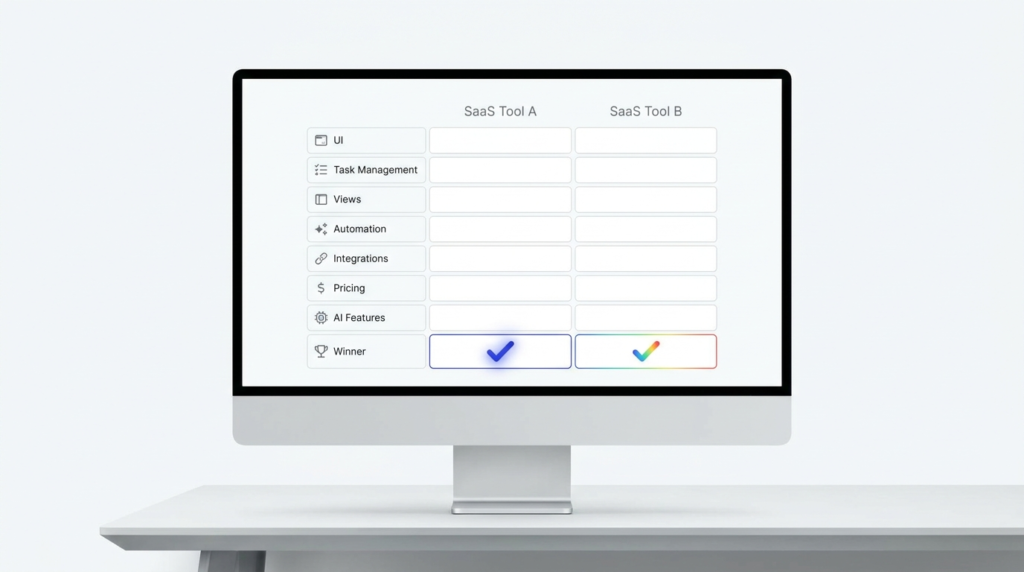
Quick Comparison: Asana vs Monday.com
| Category | Winner | Why |
|---|---|---|
| UI & Ease of Use | Monday.com | Lower onboarding friction, more visual |
| Task Management | Asana | Deeper subtask structure, cross-project linking |
| Views | Monday.com | More view variety across plans |
| Automation | Asana | Unlimited automations on Starter; Monday caps Standard at 250/mo |
| Integrations | Asana | Extensive app library; Monday at 200+ native |
| Pricing | Monday.com | Basic starts at $9/seat/mo vs Asana Starter at $10.99 |
| AI Features | Asana | More mature AI Studio; Monday agents still Early Access |
| Best for Agencies | Asana | Better approval workflows, Gantt on Starter, no seat minimum |
Pricing verified from asana.com and monday.com, May 2026.
UI & Ease of Use: Asana vs Monday — and the Winner Is Monday.com
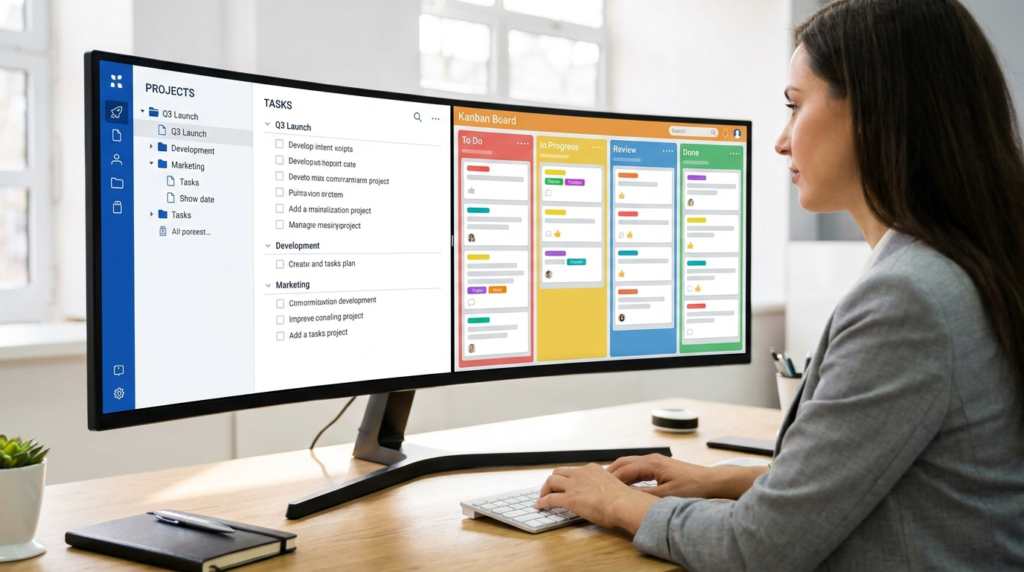
Monday.com wins on first impression and it’s not particularly close. The color-coded board interface is immediately legible — someone with no PM software experience can look at a Monday board and understand what’s happening.
The onboarding flow is faster, the interface is more forgiving, and the visual density works in most teams’ favor.
Asana’s interface is cleaner and more structured, which is a genuine advantage once you’re running complex projects. But it has a steeper initial learning curve.
New users frequently spend time figuring out how tasks, projects, and portfolios relate to each other before they can work efficiently. At scale, Asana’s structure pays off.
In the first two weeks, Monday’s visual approach is just easier.
Winner: Monday.com — lower onboarding friction and a more immediately intuitive interface. Asana’s structure becomes an advantage over time, but Monday gets teams productive faster.
Disclaimer: If you buy something using the links in this article, I may receive a commission at no extra cost to you.
Know that I only promote stuff that I use and trust for the sake of my readers and the reputation of this site.
Task Management: Asana vs Monday — and the Winner Is Asana
Both tools handle task management well, but they approach it differently.
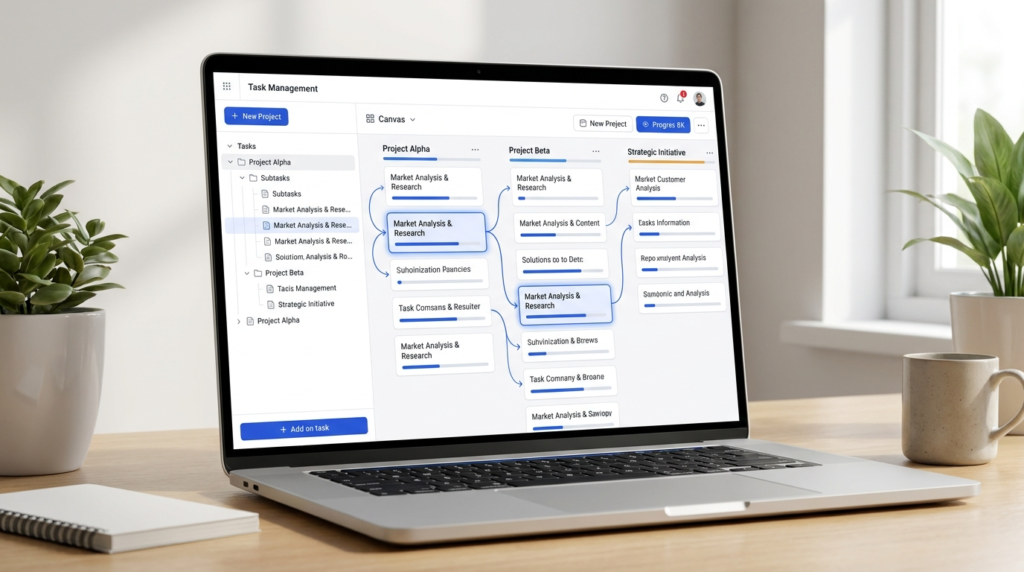
Asana’s task model is deeper — subtasks, task dependencies, multi-homing (assigning the same task to multiple projects), custom task types, and cross-project visibility are all more developed than in Monday.
If your team runs complex, interconnected workflows where a single deliverable touches multiple projects simultaneously, Asana handles that more cleanly.
Monday’s task model (called items on boards) is more flexible in how it’s structured, but less powerful in how tasks relate to each other.
You can build almost any structure you want, but you’re often building it from scratch rather than using native features designed for that purpose.
Winner: Asana — better subtask depth, cross-project task linking, and native support for complex dependencies. Monday is flexible but requires more configuration to achieve what Asana does out of the box.
Views: Asana vs Monday — and the Winner Is Monday.com
Monday.com offers a broader range of views than Asana — Kanban board, Gantt chart, calendar, timeline, chart, map, workload, and more.
The variety means different team members can look at the same data in the format that works best for them without any reconfiguration.
The chart and map views in particular don’t have a direct equivalent in Asana.
Asana’s core views — list, board, calendar, timeline, and Gantt — are well-implemented and genuinely polished. The timeline view is one of the best in the category. But the total variety is narrower.
Asana’s views are available starting on Starter (timeline and Gantt require Starter or above; Personal is limited to list, board, and calendar), while Monday’s multiple board views unlock on Standard (monday.com).
Winner: Monday.com — more view variety for teams that want flexibility in how they visualize work. Asana wins on how well the core views are implemented, but Monday wins on breadth.
Automation: Asana vs Monday — and the Winner Is Asana
This is the category where the gap between the two tools is most meaningful, and most review articles miss it entirely.
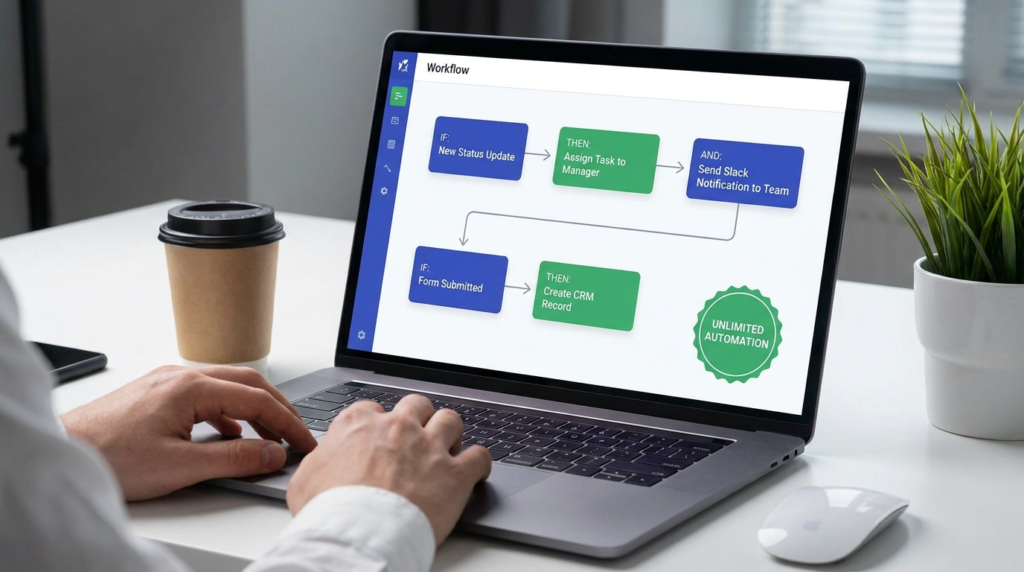
Asana includes unlimited automations on the Starter plan ($10.99/user/mo annual). That means a 5-person team paying $54.95/mo gets unlimited workflow rules — status updates, task assignments, due date triggers, notifications, form routing, all of it.
Monday’s Standard plan ($12/seat/mo annual) caps automations at 250 actions per month. For a 5-person team doing real project work, 250 automation actions goes fast.
Moving to Pro ($19/seat/mo annual) gets you 25,000 actions/mo — but now you’re paying nearly double the per-seat rate to unlock automation depth that Asana includes at the entry paid tier (asana.com).
Monday’s automation recipes are accessible and easy to build, which is a real advantage for teams without technical users.
But the volume limits at Standard are a genuine constraint for teams running high-frequency workflows.
Winner: Asana — unlimited automations on Starter is a structural advantage over Monday’s 250 actions/mo on Standard. If automations are central to your workflow, Asana delivers more value per dollar at equivalent tiers.
Integrations: Asana vs Monday — and the Winner Is Asana
Asana has a large, well-maintained integration library covering every major tool category: communication (Slack, Microsoft Teams, Google Chat), files (Google Drive, Dropbox, OneDrive, Box, SharePoint), CRM (Salesforce, HubSpot, Pipedrive), reporting (Tableau, Power BI, Looker), development (GitHub, GitLab, Jira, Azure DevOps), and AI tools (Claude, ChatGPT).
The breadth is genuinely extensive (asana.com).
Monday.com connects with 200+ native integrations and has access to thousands more through Zapier and Make.
The native list covers the most common tools — Slack, Google Drive, HubSpot, Salesforce, GitHub, Jira — but the depth of native connection is narrower than Asana’s.
For teams deeply embedded in Google Workspace, Microsoft 365, or Salesforce, Asana’s native integration depth is a meaningful differentiator.
Winner: Asana — more extensive native integration library, particularly strong for teams using Google Workspace, Salesforce, or BI tools.
Monday’s 200+ native integrations cover most common needs but the depth advantage goes to Asana.
Pricing: Asana vs Monday — and the Winner Is Monday.com
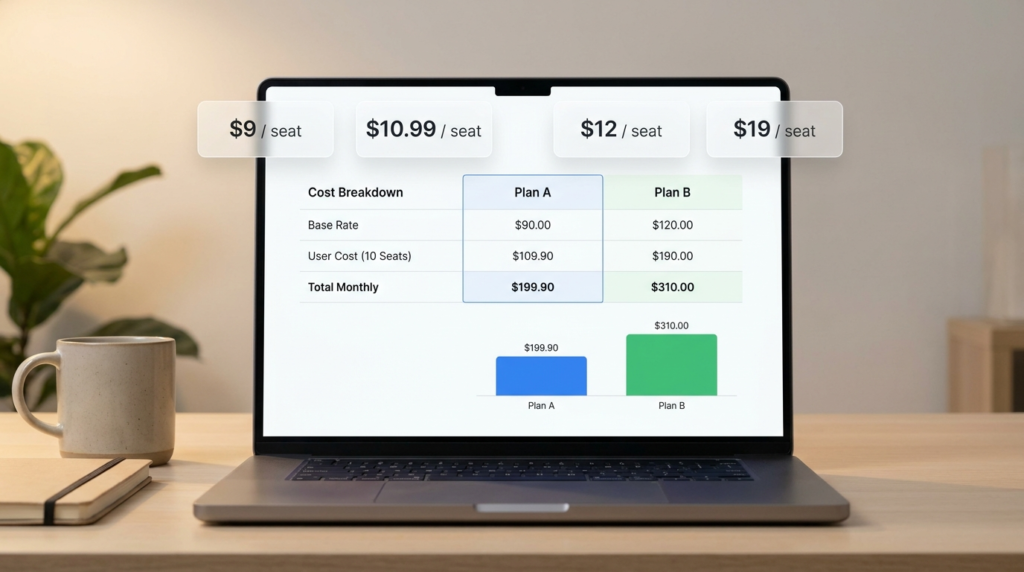
At the entry paid tier, Monday Basic ($9/seat/mo annual) is cheaper per seat than Asana Starter ($10.99/seat/mo annual).
The difference is modest — $1.99/seat/mo — but it compounds at scale.
Here’s the honest comparison at 10 seats, annual billing:
| Plan | Monthly Cost (10 seats, annual) |
|---|---|
| Monday Basic | $90/mo |
| Asana Starter | $109.90/mo |
| Monday Standard | $120/mo |
| Asana Advanced | $249.90/mo |
| Monday Pro | $190/mo |
Monday’s 3-seat minimum is worth noting — at a very small team size (1–2 people), Asana’s no-minimum structure is actually more affordable.
A solo user pays $10.99/mo on Asana Starter vs a mandatory $27/mo minimum on Monday Basic.
For teams of 5 or more, Monday’s per-seat pricing advantage is consistent across tiers.
Annual billing saves 18% on both platforms. For a deeper look at what Asana charges at each tier, the full Asana pricing breakdown covers every plan and add-on in detail.
Winner: Monday.com — lower per-seat cost at equivalent tiers for teams of 3 or more. Asana wins for very small teams due to no seat minimum.

AI Features: Asana vs Monday — and the Winner Is Asana
Both platforms now bundle AI into paid plans, but the maturity and depth are different.
Asana AI — built around AI Studio, which is included on all paid plans as AI Studio Basic (50K credits/mo on Starter, 75K on Advanced, 200K on Enterprise).
The AI features are deeply integrated into workflow automation: smart rules, AI-generated workflow builds from plain-language descriptions, smart summaries, risk reports, and AI-assisted status updates.
Asana AI Teammates — autonomous AI agents — are available as a paid add-on on Starter and above, with custom pricing.
AI Studio Plus is $135/account/mo for 100K credits if you need more capacity (help.asana.com).
Monday AI — built around an AI credit system bundled into all paid plans (Basic: 1,000 credits/mo, Standard: 2,000/mo, Pro: 3,000/mo, Enterprise: 20,000/mo).
Credits power monday sidekick (AI assistant), monday agents (autonomous agents — currently in Early Access), AI meeting notetaker, Vibe app builder, AI columns, and AI workflow builder.
The breadth of AI tools accessible from one credit pool is genuinely impressive.
The caveat: monday agents are still Early Access as of May 2026, meaning the autonomous agent capabilities are not yet fully production-ready (monday.com).
Winner: Asana — AI Studio is more mature and more deeply embedded into workflow automation.
Monday’s AI credit system is more accessible and covers a broader range of AI tool types, but the core agent capabilities are still in Early Access.
This is the fastest-moving area in both platforms — verify current status before making it a deciding factor.

Which Is Better for Agencies?
For most marketing agencies and client-services teams, Asana is the stronger choice — but Monday.com is a legitimate option for smaller agencies that prioritize speed of setup over workflow depth.
Here’s why Asana wins the agency use case specifically:
Approval and proofing workflows. Asana’s approval and proofing features are built into the Advanced plan — annotate PDFs and designs directly in Asana, route to approvers, get sign-off.
For creative agencies running multiple rounds of client review, this is a meaningful native capability. Monday doesn’t have a built-in equivalent at the same depth.
Gantt on Starter. Asana includes timeline and Gantt views on the Starter plan ($10.99/seat/mo). For an agency managing multiple concurrent campaigns or client projects with interdependencies, having Gantt access at the entry paid tier matters.
Monday’s Gantt equivalent unlocks on Standard.
No seat minimum. Agencies often bring on contractors and freelancers seasonally. Asana’s no-minimum structure means a team of 3 pays for 3 seats.
Monday’s 3-seat minimum is fine for established teams but adds friction for very small or variable-headcount agencies.
Guest access. Both platforms offer unlimited free guests on paid plans — bring clients into projects without adding to your seat count. This is table stakes for agency work, and both handle it well.
Where Monday wins for agencies: If the agency is small (under 10 people), values fast onboarding over workflow depth, and doesn’t need approval workflows, Monday is easier to stand up quickly.
The visual board interface also tends to get better adoption from clients who are given limited project visibility.
For teams still building out their agency PM stack, my full marketing project management software comparison covers both tools alongside Teamwork (which has client billing and retainer tracking built in — a meaningful option for agencies that need more than project coordination).
FAQ
Is Asana better than Monday.com?
It depends on your team’s priorities. Asana is better for teams that need structured workflows, unlimited automations at the entry paid tier, deep integration with tools like Salesforce and Google Workspace, and mature AI-powered automation.
Monday is better for teams that want a visually intuitive interface, faster onboarding, and flexible board-based project structures. Neither is universally better — the right answer depends on how your team actually works.
Which is easier to use, Asana or Monday?
Monday.com is easier to get started with. The color-coded board interface is immediately legible, onboarding is faster, and new users reach productivity more quickly.
Asana has a steeper initial learning curve due to its more structured task and project hierarchy.
That said, Asana’s structure becomes an advantage at scale — teams with complex, interconnected workflows often find Asana easier to manage long-term once the initial setup is done.
Is Monday more expensive than Asana?
Not at the per-seat level for teams of 3 or more. Monday Basic is $9/seat/mo annual vs Asana Starter at $10.99/seat/mo annual — Monday is cheaper per seat.
However, Monday’s 3-seat minimum means the floor is $27/mo on Basic, while Asana has no minimum — a solo user or 2-person team pays less on Asana.
Both platforms offer 18% savings on annual billing vs monthly. For a full breakdown of Asana’s plan costs at different team sizes, the Asana pricing breakdown covers every tier in detail.
What is the main difference between Asana and Monday for project management?
The core difference is philosophy. Asana is structured and workflow-first — it’s designed around tasks, projects, and portfolios with clear hierarchy and rules.
Monday is flexible and visual-first — it’s built around customizable boards that teams configure to fit their workflow. In practice: Asana is better for teams running repeatable, rules-driven workflows.
Monday is better for teams that want to build their own project structure from a visual canvas.
Automation depth, integration breadth, and AI maturity currently favor Asana; visual flexibility and ease of setup favor Monday.
Which is better for agencies, Asana or Monday?
Asana is the better choice for most agencies. The Gantt view on the Starter plan, built-in approval and proofing workflows on Advanced, unlimited automations on Starter, and no seat minimum all make it more suited to client project management.
Monday works well for smaller agencies that prioritize fast setup and client-facing board visibility.
For agencies that also need client billing and retainer tracking built into their PM tool, neither Asana nor Monday is the best fit — Teamwork handles that use case more completely.
Bottom Line
For a small team that values quick setup, visual project boards, and doesn’t need deep automation — Monday.com is the easier starting point.
The lower per-seat price, more visual interface, and faster onboarding are genuine advantages.
For most marketing teams, agencies, and growing businesses that need structured workflows, robust automation, and a deep integration ecosystem — Asana is the stronger long-term investment.
Unlimited automations on Starter, Gantt views on the entry paid tier, approval workflows, and AI Studio maturity give it a functional edge at the tiers most teams actually buy.
The one scenario where the verdict flips: very small teams of 1–2 people. Monday’s 3-seat minimum makes Asana cheaper at that scale.
If Asana made your shortlist and you want to dig into the full cost picture before committing, the Asana pricing breakdown covers every plan, add-on, and AI tier in detail.
Sources
- Asana Pricing — verified May 2026
- Asana Apps and Integrations — verified May 2026
- Asana AI Studio Pricing — verified May 2026
- monday.com Pricing — verified May 2026
- monday Agents — verified May 2026

Recent Posts

Monday.com Review 2026: Is It Still the Best Work OS?
I tested Monday.com against ClickUp, Asana, and Wr...
Updated July 27, 2026

AI Writing Software for Blogging in 2026: Best Tools + How to Stay AI-Search Vis...
The best AI writing software for blogging in 2026 ...
Updated July 20, 2026

HubSpot Review 2026: Is It Worth the Cost?
I tested HubSpot’s free CRM, Starter, and Pr...
Updated July 20, 2026

Teamwork.com Review 2026: Is It the Best PM Tool for Client Work?
I tested Teamwork.com for agency and client projec...
Updated May 29, 2026

Wrike Review 2026: Is It Worth the Cost?
I tested Wrike in real enterprise workflows. Here&...
Updated May 29, 2026

Asana Review 2026: Is It Worth It? (Honest, In-Depth Analysis)
I tested Asana across real team workflows. Here...
Updated May 29, 2026
Newsletter
Don't miss a thing!
Sign up to receive daily news