
 Tracy Jackson15 yrs in online marketing
Best Podcast Equipment in 2026: Complete Setups for Every Budget
Table of Contents
The best podcast equipment depends on your budget and experience — and the honest news is that beginners need far less than the gear guides suggest. A USB microphone, closed-back headphones, and free software will get you publishing this week. Everything past that is an upgrade, not a requirement.
I’ve bought, used, and replaced podcast gear for years, so this guide is organized the way you actually shop: complete setups by budget, with real June 2026 prices, and an honest caveat on every pick. If you’re starting from zero, my beginner podcast equipment walkthrough pairs with the first tier below; for the data behind several picks, The Podcast Host’s gear testing is a solid second read.
| Quick picks: the best podcast equipment in 2026 • Best budget mic: Samson Q2U (~$70) — hybrid USB/XLR, everything in the box. • Best overall mic: RODE PodMic (~$99 XLR / ~$199 USB) — broadcast sound without broadcast prices. • Best interface: Focusrite Scarlett 2i2 4th Gen (~$179) — the solo/duo standard. • Best headphones: Audio-Technica ATH-M50x ($159) — the studio staple; RODE NTH-100 (~$115–149) if you want fresher comfort. • Best pro console: RODECaster Pro II (~$619–699) — a full studio in one box. |
Disclosure: As an Amazon Associate I earn from qualifying purchases. Product links below are affiliate links — they never change my picks or what you pay. Full disclosure here.
The honest truth first: your room matters more than your gear
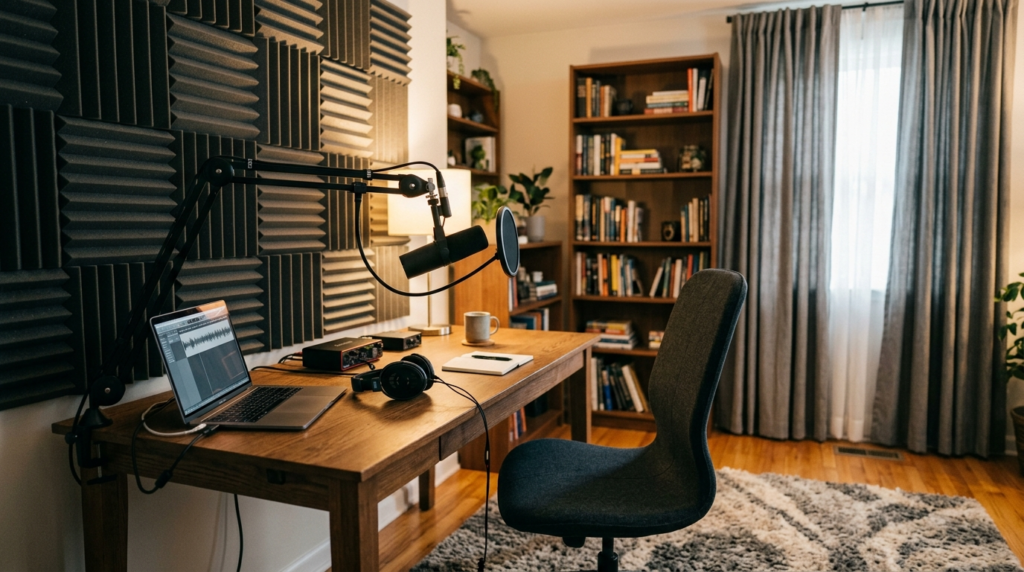
Before you spend a dollar, hear this: a $70 microphone in a quiet, soft-furnished room will beat a $500 microphone in an echoey kitchen. Every time. Hard floors, bare walls, and windows bounce your voice around, and no gear purchase fixes that.
So do the free upgrades first. Record in a carpeted room, pull the curtains, get the mic close to your mouth, and put soft stuff — a couch, a bookshelf, even a duvet — between you and hard surfaces. That’s more improvement than any product on this page, and it costs nothing.
Beginner podcast setup: the complete starter kit under ~$150
This is the podcast starter kit I’d hand a friend: one hybrid mic, decent headphones, free software. Total damage: about $100–150, and it’s genuinely enough to sound professional.
Samson Q2U — the best beginner mic (~$70)
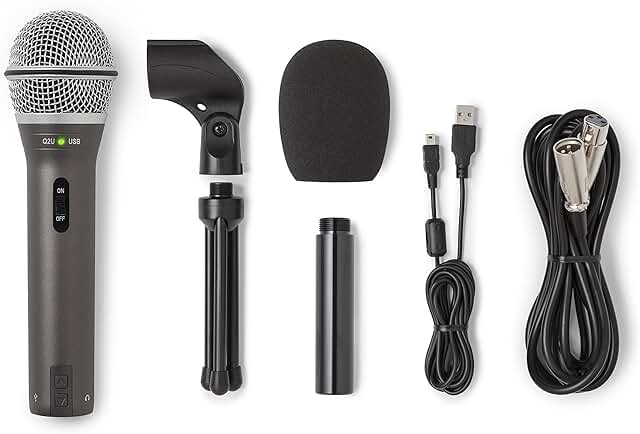
The Samson Q2U is the near-universal recommendation for a reason, and it’s mine too. It’s a dynamic mic — it rejects room noise instead of amplifying it — and it has both USB and XLR outputs, so the same mic plugs into your laptop today and a pro interface in two years (The Podcast Host, 2026).
The box includes the stand, windscreen, and both cables — no surprise purchases. At around $70 it’s the lowest-risk piece of podcast equipment you can buy. One note: the Audio-Technica ATR2100x, its long-time rival, is being discontinued, which makes the Q2U the clear hybrid pick in 2026 (Buzzsprout).
What about the Blue Yeti?
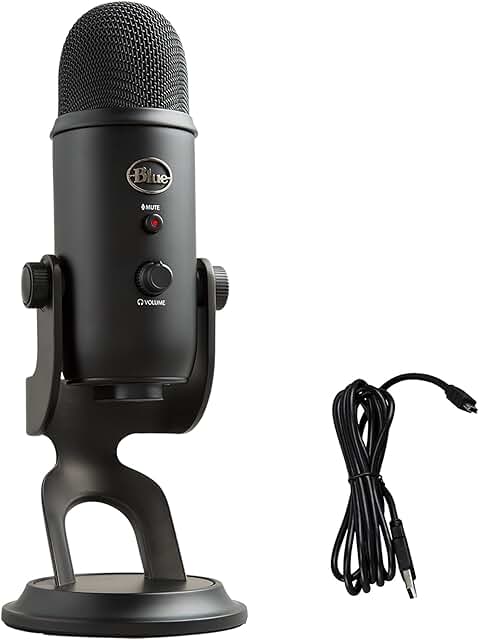
The Blue Yeti (~$100–130) is the mic everyone’s heard of, and I won’t pretend it’s bad — in a quiet, treated room it sounds great. But it’s a sensitive condenser, so it also hears your keyboard, your chair, and the room echo you were hoping to ignore.
In an untreated home room — which is where most podcasts get recorded — a dynamic mic like the Q2U is simply the safer choice. If you want a condenser anyway, the AT2020USB-X is the current USB-C version of a classic — same caveat about the room applies.
Complete the kit: headphones + free software
Any closed-back headphones you own will do to start — the job is hearing yourself without the mic hearing them. When you’re ready to buy, jump to the headphone picks in the intermediate tier.
For software, Audacity is free and does everything a new podcaster needs. Total setup: mic $70, headphones $0–150, software $0 — you’re podcasting for as little as ~$100.
| Tracy’s Take ★★★★★ (5/5) The Q2U kit is the best beginner podcast setup I know: cheap enough to feel safe, good enough that you won’t outgrow it fast, and the XLR jack means nothing gets thrown away when you upgrade. Start here. |
Intermediate podcast setup (~$400–600): the XLR upgrade
Upgrade when your show has proven it’ll survive — not before. The intermediate jump is XLR: a broadcast-style mic, a real interface, a boom arm, and proper headphones. This is the setup most serious solo and two-person shows live on for years.
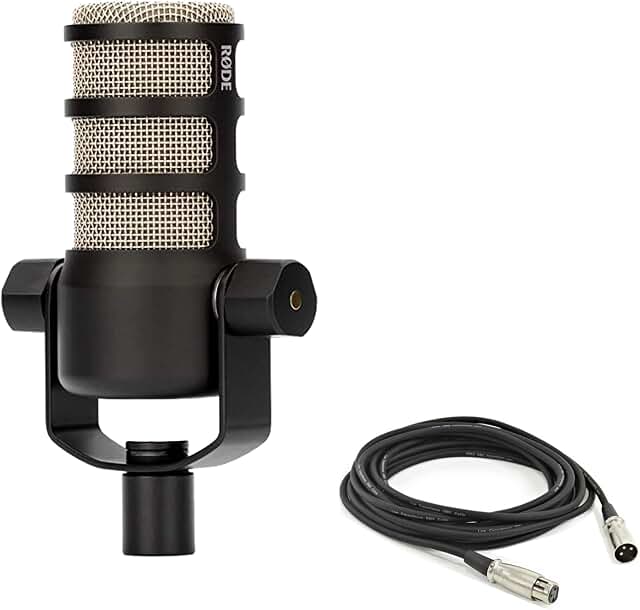
RODE PodMic — best overall podcast mic (~$99 XLR)
The RODE PodMic is the best pure value in podcast microphones: broadcast-grade dynamic sound, built-in pop filter, tank-like build, about $99. It’s my “best overall” because it sounds like mics three times its price and shrugs off untreated rooms.
If you want the same mic without an interface, the PodMic USB (~$199) adds USB-C and onboard processing. It’s the plug-and-play version for people who want broadcast sound with zero extra boxes.
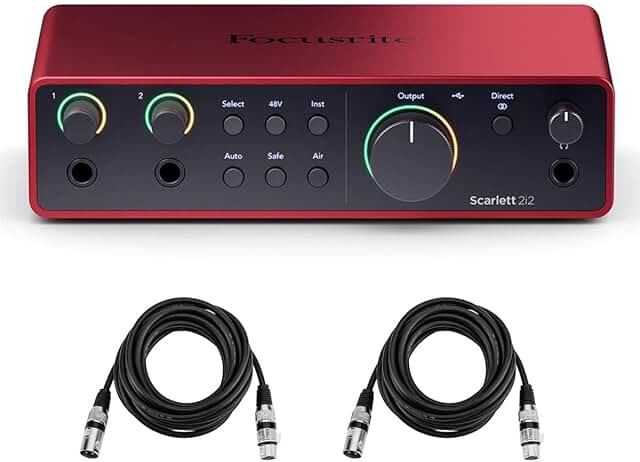
Focusrite Scarlett 2i2 4th Gen — best interface (~$179)
An audio interface converts your XLR mic’s signal for your computer, and the Scarlett 2i2 4th Gen is the category standard for solo and two-person shows — clean preamps, Auto Gain, loopback for remote guests, about $179 (Podcast Pontifications, May 2026). Make sure you’re getting the 4th Gen — the 3rd Gen in the old version of this guide has been superseded.
Worth knowing: Focusrite’s podcast-specific Vocaster Two is being sold at steep discounts right now — a genuine bargain if you catch it, but the deep clearance pricing suggests the line is winding down, so I wouldn’t build a long-term setup around it. For a deeper comparison of the options, my audio interface guide for podcasters goes model by model.
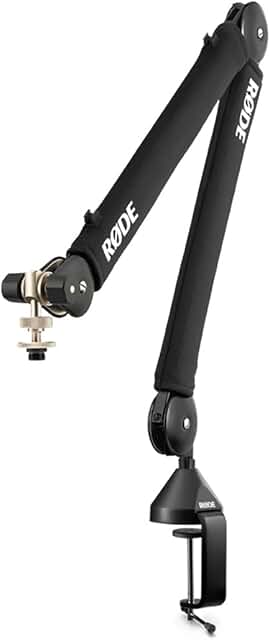
Boom arm + headphones: PSA1+ and two good options
A boom arm positions the mic properly and kills desk thumps; the RODE PSA1+ (~$95–129) is the quiet, spring-damped standard. For headphones, the Audio-Technica ATH-M50x ($159) is the studio staple I keep coming back to, and RODE’s NTH-100 (~$115–149) is the newer, more comfortable alternative.
| Tracy’s Take ★★★★★ (5/5) PodMic + Scarlett 4th Gen + PSA1+ + M50x is about $530 all-in at current prices, and it’s the setup I’d build today for a serious show. Skip it if you’re still on episode three — the beginner kit is plenty until consistency is proven. |
Pro and multi-guest podcast setup ($1,000+)
The pro tier earns its cost in two situations: multiple people in one room, or a show where audio quality is part of the brand. If that’s not you yet, save the money — nothing here makes a weak show strong.
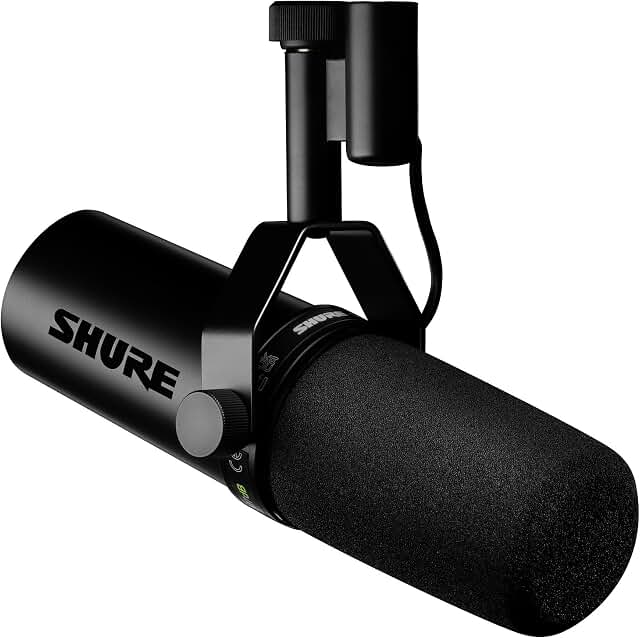
Shure SM7B or MV7+ — the broadcast standards
The Shure SM7B ($399) is the mic behind half the famous podcasts you’ve heard, and it deserves the reputation — rich broadcast sound and superb noise rejection. The catch: it’s XLR-only and gain-hungry, so it needs a capable interface or console behind it (Podcast Provisions).
The Shure MV7+ ($249) is the smarter buy for most people: 80% of the SM7B’s character with USB-C and XLR, auto-level, and a built-in pop filter. It’s the “pro sound without pro plumbing” option.
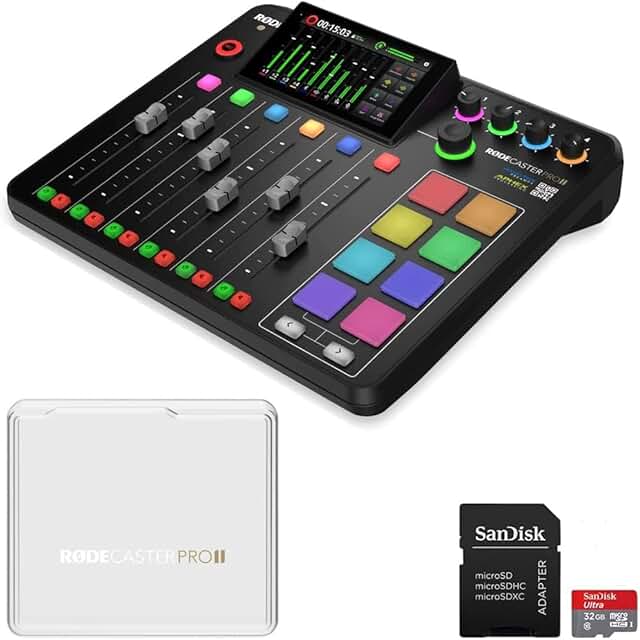
RODECaster Pro II or PodTrak P4 — the multi-guest brains
For multi-person shows, the RODECaster Pro II (~$619–699) is the full studio in a box: four powerful preamps that drive an SM7B without extra hardware, sound pads, multitrack recording, and processing built in. It’s overkill for a solo weekly show and exactly right for a serious multi-host production.
The budget alternative is the Zoom PodTrak P4 (~$150–200): four XLR inputs, four headphone jacks, hardware mix-minus for call-in guests, and it runs on AA batteries recording to SD — no computer needed. For portable or on-location multi-guest recording it’s the best value in podcasting.
| Tracy’s Take ★★★★☆ (4/5) My pro-tier advice: MV7+ into a Scarlett beats an SM7B into inadequate gear, and a PodTrak P4 covers most multi-guest needs at a quarter of the RODECaster’s price. Buy the RODECaster Pro II when the show pays for it, not before. |
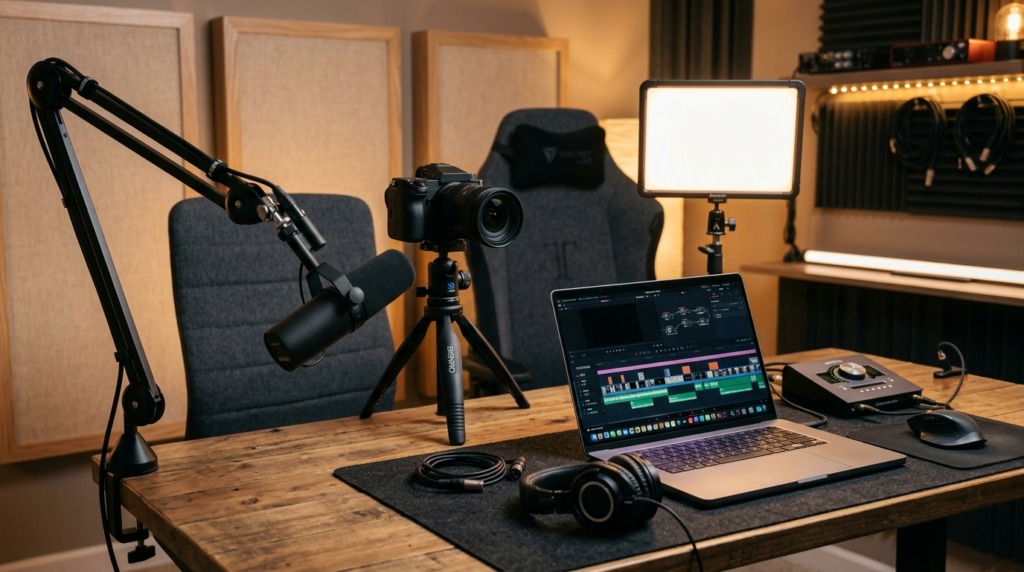
Video podcast equipment: what you actually need
Video is now standard — YouTube is a primary podcast destination — but the gear escalation is optional. Start with the camera you own: a decent webcam or even your phone, mounted at eye level, is genuinely enough for a first video podcast.
The priority order is lighting before camera. A basic soft light facing you improves a cheap webcam more than a $1,000 camera improves a dark room. Upgrade the camera last, when the show justifies it.
For moving or multi-person video, a wireless mic system like RODE’s Wireless GO III (the current Gen 3, with 32-bit float backup recording) keeps audio clean when people move — check current pricing, as wireless kits vary by bundle. The full workflow, from camera settings to publishing, is in my guide to starting a podcast on YouTube.
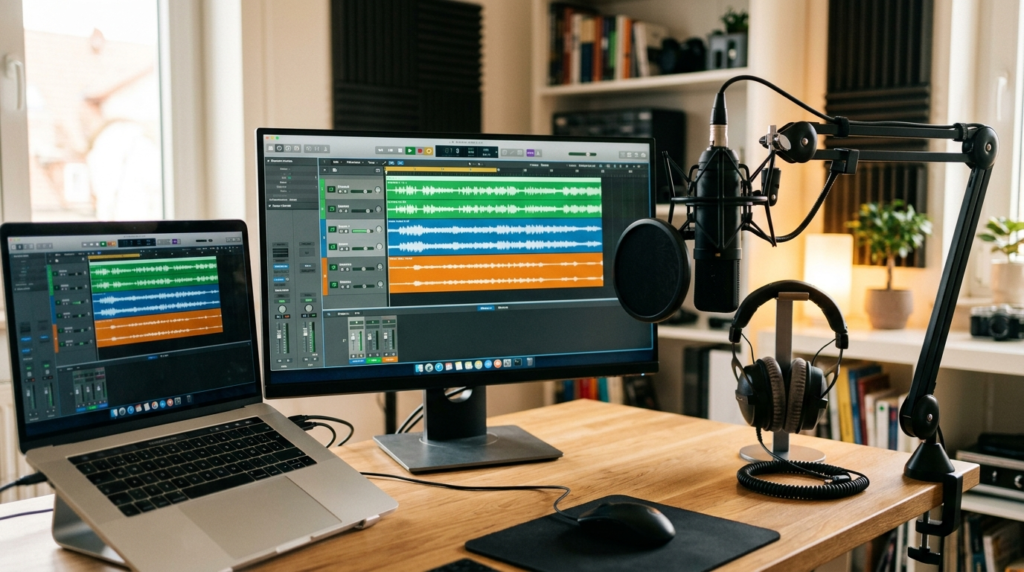
Recording and editing software in 2026
Gear is half the podcast setup; software is the other half, and the good news is the free options are genuinely good. Audacity remains the free editing workhorse — everything a spoken-word show needs, no subscription.
For remote interviews, Riverside is the 2026 default: it records each person locally in studio quality, so a bad connection doesn’t ruin the track. Descript deserves a look too — it edits audio like a text document, which is a genuine workflow shift. My remote podcast recording guide walks through the full remote workflow.
Accessories that matter — and what to skip
A short list, because accessories are where gear guides pad their affiliate income:
• Worth it: pop filter or foam windscreen: Cheap insurance against plosives. Many picks above have one built in — check before buying.
• Worth it: boom arm: Proper mic position, no desk thumps. The PSA1+ above, or any solid ~$30–50 arm to start.
• Worth it: budget acoustic treatment: A rug, curtains, and a couple of foam panels behind the mic. Under $50, bigger difference than most gear.
• Skip: a mixer: Unless you’re recording multiple people in one room, you don’t need one — a USB mic or small interface covers it. This is the most over-sold product in podcasting.
• Skip (for now): the $400 mic: Until your room is treated and your show is consistent, it’s solving the wrong problem.
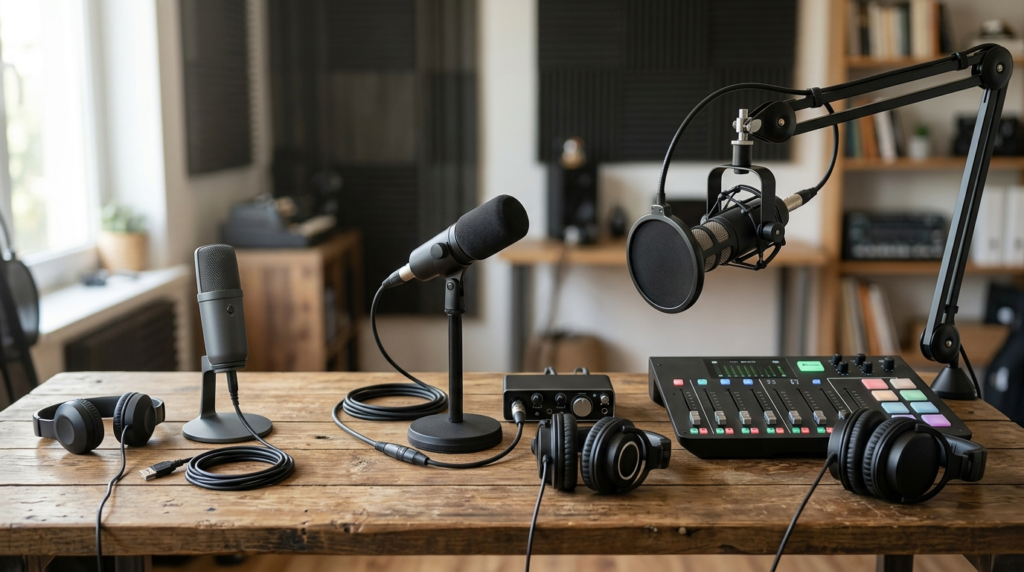
How much does podcast equipment cost in 2026?
Here’s the question the old version of this guide teased and never answered. Real numbers, verified June 2026:
| Setup tier | What’s in it | Real 2026 cost |
| Beginner (audio only) | USB/hybrid mic, closed-back headphones, free software | ~$100–$300 |
| Intermediate (XLR) | XLR mic, interface, boom arm, studio headphones | ~$400–$600 |
| Adding video | Webcam or camera, basic lighting, wireless mic optional | +$150–$400 |
| Pro / multi-guest | Broadcast mics, production console or multitrack recorder | $1,000+ |
The honest read: most people should start at $100–150 and stop there until the show has ten consistent episodes. Gear upgrades reward shows that already exist; they don’t create them.
After the gear: your podcast setup needs a host
Equipment gets the episode recorded; a podcast host gets it to Apple, Spotify, and YouTube. That’s a separate decision with its own trade-offs — free tiers, pricing changes, video support — and I keep my full comparison current in my guide to the best podcast hosting sites. Gear plus host is the complete setup; everything else is optional.
The verdict: the best podcast equipment for you
My picks, one line each: Samson Q2U (~$70) if you’re starting; PodMic + Scarlett 2i2 4th Gen (~$530 all-in with arm and headphones) when the show is proven; MV7+ or SM7B with a RODECaster Pro II or PodTrak P4 when it’s a production. Quiet room first, always.
Don’t let gear shopping become procrastination — I’ve watched more shows die in research mode than from bad audio. Buy the starter kit, record episode one this week, and let the show earn its upgrades.
Frequently asked questions
What equipment do you need to start a podcast?
The minimum podcast setup is a USB microphone, closed-back headphones, and a computer running free software like Audacity — roughly $100–150 total. Everything else, from boom arms to interfaces to video gear, is an upgrade rather than a requirement. Start minimal, publish consistently, and upgrade only when the show is established.
How much does podcast equipment cost in 2026?
A complete beginner setup runs about $100–300 (USB mic, headphones, free software). An intermediate XLR setup with an interface, boom arm, and studio headphones costs roughly $400–600. Adding video runs another $150–400, and pro multi-guest studios start around $1,000. Prices verified June 2026.
What’s the best podcast microphone for beginners?
The Samson Q2U (~$70) is the best beginner podcast microphone: a noise-rejecting dynamic mic with both USB and XLR outputs, so it works with a laptop today and a pro interface later. It ships with the stand and both cables included. My full podcast microphone breakdown compares every tier.
Do I need a mixer or audio interface for podcasting?
Most solo and remote podcasters need neither — a USB microphone covers everything. You need an audio interface (like the Scarlett 2i2, ~$179) only when you move to an XLR mic. A mixer only earns its place when several people record in the same room; for everyone else it’s over-sold gear.
Is the Blue Yeti still good for podcasting in 2026?
Yes, in the right room. The Yeti (~$100–130) is a sensitive condenser mic — it sounds great in a quiet, treated space but picks up keyboards, chairs, and echo in a typical home room. That’s why dynamic mics like the Samson Q2U or RODE PodMic are the safer default recommendation in 2026.
Can I start a podcast with just my phone?
Yes — a phone in a quiet room can record a listenable first episode, and it’s a fine way to test the idea for free. The limits are room echo and audio compression, which is why a ~$70 USB microphone is the single biggest quality upgrade a new podcaster can make.
Sources
1. The Podcast Host — Samson Q2U Review 2026 (~$70; hybrid USB/XLR verdict) — https://www.thepodcasthost.com/equipment/samson-q2u-podcasting-review/
2. Buzzsprout — Samson Q2U Review (ATR2100x discontinuation) — https://www.buzzsprout.com/blog/samson-q2u-review
3. Podcast Pontifications — Best Audio Interfaces for Podcasting, May 2026 (Scarlett 2i2 4th Gen $179) — https://podcastpontifications.com/uncategorized/best-audio-interfaces-for-podcasting/
4. Podcast Provisions — SM7B vs MV7+ vs PodMic ($399 / $249 / $99) — https://podcastprovisions.com/blogs/news/shure-sm7b-vs-shure-mv7-vs-rode-podmic-ultimate-podcast-microphone-comparison
5. Sweetwater — Audio-Technica ATH-M50x ($159, April 2026) — https://www.sweetwater.com/store/detail/ATHM50x–audio-technica-ath-m50x-closed-back-studio-monitoring-headphones

Recent Posts

Monday.com Review 2026: Is It Still the Best Work OS?
I tested Monday.com against ClickUp, Asana, and Wr...
Updated July 27, 2026

AI Writing Software for Blogging in 2026: Best Tools + How to Stay AI-Search Vis...
The best AI writing software for blogging in 2026 ...
Updated July 20, 2026

HubSpot Review 2026: Is It Worth the Cost?
I tested HubSpot’s free CRM, Starter, and Pr...
Updated July 20, 2026

Teamwork.com Review 2026: Is It the Best PM Tool for Client Work?
I tested Teamwork.com for agency and client projec...
Updated May 29, 2026

Wrike Review 2026: Is It Worth the Cost?
I tested Wrike in real enterprise workflows. Here&...
Updated May 29, 2026

Asana Review 2026: Is It Worth It? (Honest, In-Depth Analysis)
I tested Asana across real team workflows. Here...
Updated May 29, 2026
Newsletter
Don't miss a thing!
Sign up to receive daily news